Upload a kitchen photo
Snap or upload a photo with a good stretch of worktop in frame — daylight helps and an ordinary phone photo is perfect. The AI reads the worktop surface on its own, no measuring or masking needed.
AI worktop visualiser
Upload one photo of your kitchen and watch a new worktop appear on your real worktop run, in your kitchen's own light — in seconds. This is a genuine AI worktop visualiser that works on your photo, not a stock showroom scene. Line up quartz, granite and marble-effect finishes on your own kitchen, free, right here in your browser.
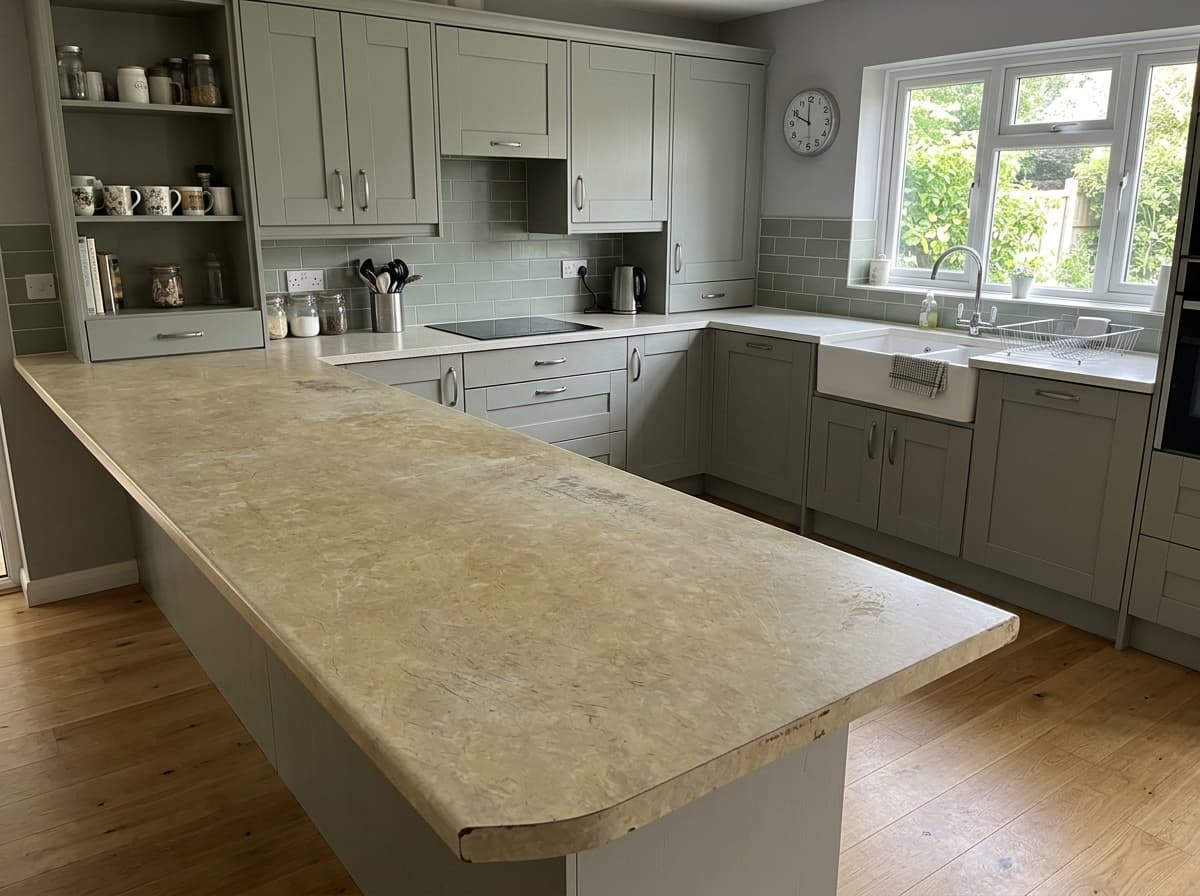
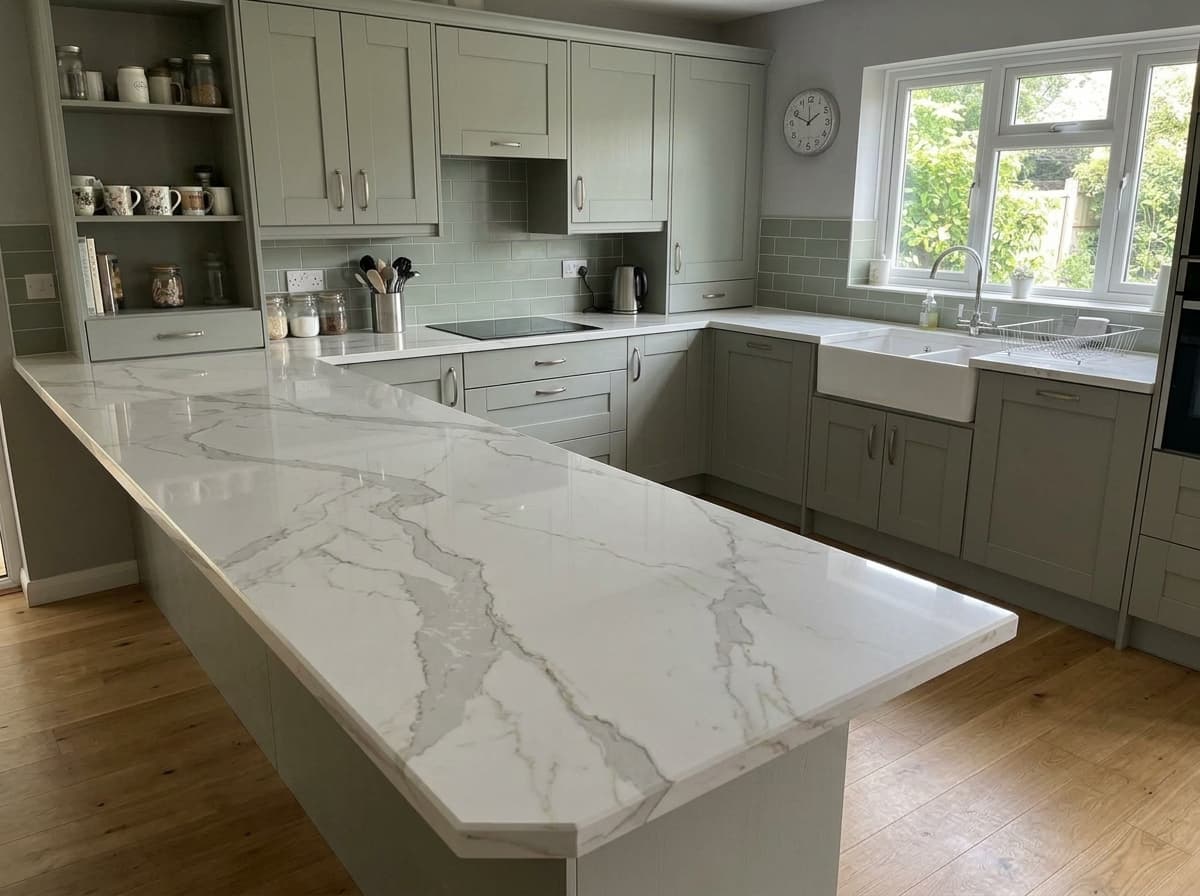
Real before & afters
Every pair is a real customer photo and the preview the visualiser made from it.
 Before
 After
After Before
 After
After Before
 After
After Before
 After
After Before
 After
After Before
 After
AfterHow this works
Why it matters
A small offcut can't reveal how veining travels across three metres of worktop, or how a tone reads beside your cabinets, floor and splashback. That gap is why 'the sample looked nothing like the finished top' is such a common regret.
Under even, bright showroom lighting every finish looks its best. Your kitchen has daylight from one side, warm bulbs at night and real shadows — the same worktop can read warmer, cooler or darker once it's at home.
The AI worktop visualiser drops a finish into a photo of your actual kitchen, so you judge colour, contrast and veining exactly where the worktop will live — before you order a single sample.
How it works
No measuring, no app to download, no designer appointment — one photo and a few taps in your browser.
Snap or upload a photo with a good stretch of worktop in frame — daylight helps and an ordinary phone photo is perfect. The AI reads the worktop surface on its own, no measuring or masking needed.
Pick a finish from the demo range — bright whites, warm and cool greys, dramatic blacks, sparkle and marble-effect looks. Line up one safe choice against one bold one and compare.
In seconds the AI replaces the old worktop with your pick, matching your kitchen's lighting, edges and reflections so the result reads like a real photograph. Save your favourites and shortlist which samples to order.
Which worktop suits your kitchen?
Too dark, too cold, too busy — the colours people agonise over on forums are usually settled by two AI renders of their own kitchen.
Afraid a bright white will feel clinical? It depends entirely on your units and light. Preview a crisp white beside a soft-veined warm white and let your own kitchen decide which one it wants.
The safe partner for sage, navy and wood units — until you have to pick a shade. Render a pale slate against a charcoal on your photo and the 'lighter or darker than the doors?' debate ends there.
Black worktops split the room — striking to some, heavy to others. See a matt black and a white-veined Nero Marquina in your kitchen's real light before you take the plunge either way.
Mirror-fleck finishes are impossible to read from a thumbnail. Across your own worktop run at full scale, you'll know in seconds whether the sparkle is 'yes' or 'too much'.
The Pinterest favourite — and the finish where a cheap pattern gives itself away. Check how the veining flows at room scale against your actual cabinets, not from a brochure crop.
Speckled granite, greens, creams and blues for a kitchen that doesn't want to play safe. Put the colour you secretly love next to the sensible one and see which still appeals in the morning.
Why it’s different
If a worktop visualiser has disappointed you before, it probably had you dressing a pre-built showroom room. An AI worktop visualiser is different — it starts from a photo of your kitchen.
You pick cabinet styles from a menu and never see your own room, so the preview can't actually answer whether the worktop suits your kitchen.
Swatch tools tint the counter one uniform shade — no veining flow, no shadow, nothing that behaves like real stone across a run.
Plenty of big-brand visualisers still ask you to come back on a laptop. Your worktop decision shouldn't have to wait for one.
No rebuilt scenes and no stock kitchens — the AI starts from your own photo and aims to change the worktop and nothing else.
Perspective, shadows and reflections are taken from your photo, so the result reads like a photograph of your kitchen rather than a mock-up.
Snap, tap, see — right in your browser. Stand in the kitchen you're changing and try worktops in the room itself.
For worktop businesses
Everything on this page runs on VisualiseO — the AI worktop visualiser fabricators, showrooms and stone retailers embed on their own websites, loaded with their own range.
Load your own slabs and finishes so every render a visitor makes is a worktop you can actually quote, template and fit.
Someone uploading their kitchen photo is actively choosing a worktop. Being the site where they first saw it in their own home puts you first in line for the job.
Run it on a tablet at the counter: photograph the customer's kitchen and swap finishes while they watch. Indecision turns into a shortlist.
It's a widget — drop it onto your worktop pages with an embed snippet, protected by domain allow-listing and rate limits.
It's a tool that shows a new worktop on a photo of your own kitchen using AI. You upload one photo, choose a finish, and the AI replaces the existing worktop with your pick — keeping the lighting, edges and reflections realistic so you see how it will genuinely look before you buy, rather than imagining it from a small sample.
Upload a photo of your kitchen, choose a quartz, granite or marble-effect finish from the demo range, and the AI composites the new worktop straight onto your photo in seconds. It reads the worktop surface automatically — there's no measuring, no masking and no app to install. It's a live demo of the VisualiseO widget, so the finishes shown are a sample demo range.
The visualiser on this page is free to try, with no account and no card details — upload a photo, pick a finish and see the result. It's a live demo of the VisualiseO widget; the widget itself is a paid subscription for worktop retailers who want it on their own website loaded with their own range.
It's very good at the decision that matters at this stage: colour, tone, veining and light-versus-dark, judged in your kitchen's real lighting. It isn't a colour-calibrated substitute for a physical sample, and every screen shows colour a little differently — so use it to cut thirty options down to two or three, then order samples of just the shortlist.
Yes — that's exactly the decision this AI worktop visualiser is built for. The render aims to keep your doors, handles, tiles and floor as they are and swap only the worktop, so you can check a new surface suits the kitchen around it before committing to a worktop-only upgrade.
Stand back so a good run of worktop is visible, hold the phone roughly level, and use daylight where you can. One clear, wide photo beats several close-ups — you don't need to fully tidy up, though a clearer worktop gives the AI the best chance of a clean result.
Yes. The AI worktop visualiser handles quartz, granite and marble-effect finishes across whites, greys, blacks, sparkle and veined looks. On a live retailer's site it shows their own slab range, so customers only ever see worktops they can actually order.
Yes — that's what VisualiseO is. This page is a demo of the widget retailers and fabricators embed on their own sites, showing their own range, with domain allow-listing and rate limits. The widget is a paid subscription for businesses; the free tool on this page is how you and your customers can try the experience first-hand.
VisualiseO is the AI worktop visualiser behind this page — embed it on your own website or showroom tablet and let customers preview your worktop range in their own kitchens.